A form builder with an API lets you design forms in a hosted UI and then work with them in code, submitting data, retrieving responses, and delivering submissions programmatically, instead of being boxed into the builder's own dashboard. For developers, that's the difference between a form tool you tolerate and one you can actually integrate. This guide explains what a form builder API is (and isn't), the two distinct kinds of API a form builder can offer, how headless form backends fit in, how authentication works, and how to choose one, with code where it helps and honesty about what these APIs really do.
What Is a Form Builder With an API
A form builder with an API is a hosted form builder that also exposes a programmatic interface, a REST API, an SDK, or both, so you can interact with your forms and their data from code rather than only through the product's UI. You build the form visually, then your application can submit to it, pull responses from it, receive submissions via webhooks, or embed it with a library, all without manual exports or copy-paste.
One important disambiguation up front, because the term is overloaded. In some frameworks, FormBuilder is a class for building reactive forms in code, Angular's FormBuilder and Drupal's Form API are the well-known examples. That's a different thing entirely: a programming construct for assembling form controls inside your own app, not a hosted product with a web API. This guide is about the latter, a hosted form builder you sign into, with an API on top, not a framework's form-construction class. If you landed here looking for Angular or Drupal's FormBuilder, that's a framework feature, not the product category covered below.
With that cleared up, the rest of this guide treats form builder API in the product sense: a hosted builder you can drive from code.
What a Form Builder API Gives You
The value of a form builder API is that it turns a closed tool into a component of your stack. Concretely, a good one gives you four things.
Programmatic submission. Send data to a form's endpoint from your own code or front end, so a form isn't limited to its hosted page. Response retrieval. Pull submissions into your systems, a database, a CRM, a data warehouse, rather than logging into a dashboard to read them. Webhooks. Get each submission pushed to your URL in real time, so downstream workflows trigger the moment someone submits. Embedding via an SDK. Render the form inside your own app or site with a library (often React, Vue, or vanilla JS) instead of a bare iframe, so it fits your UI and resizes cleanly.
Together these let you treat the form builder as a managed backend: it handles building, hosting, storage, and validation, while your code handles where the data goes and how the form appears. The catch, and the next section, is that not every form builder API gives you all four, and the word "API" hides an important distinction.
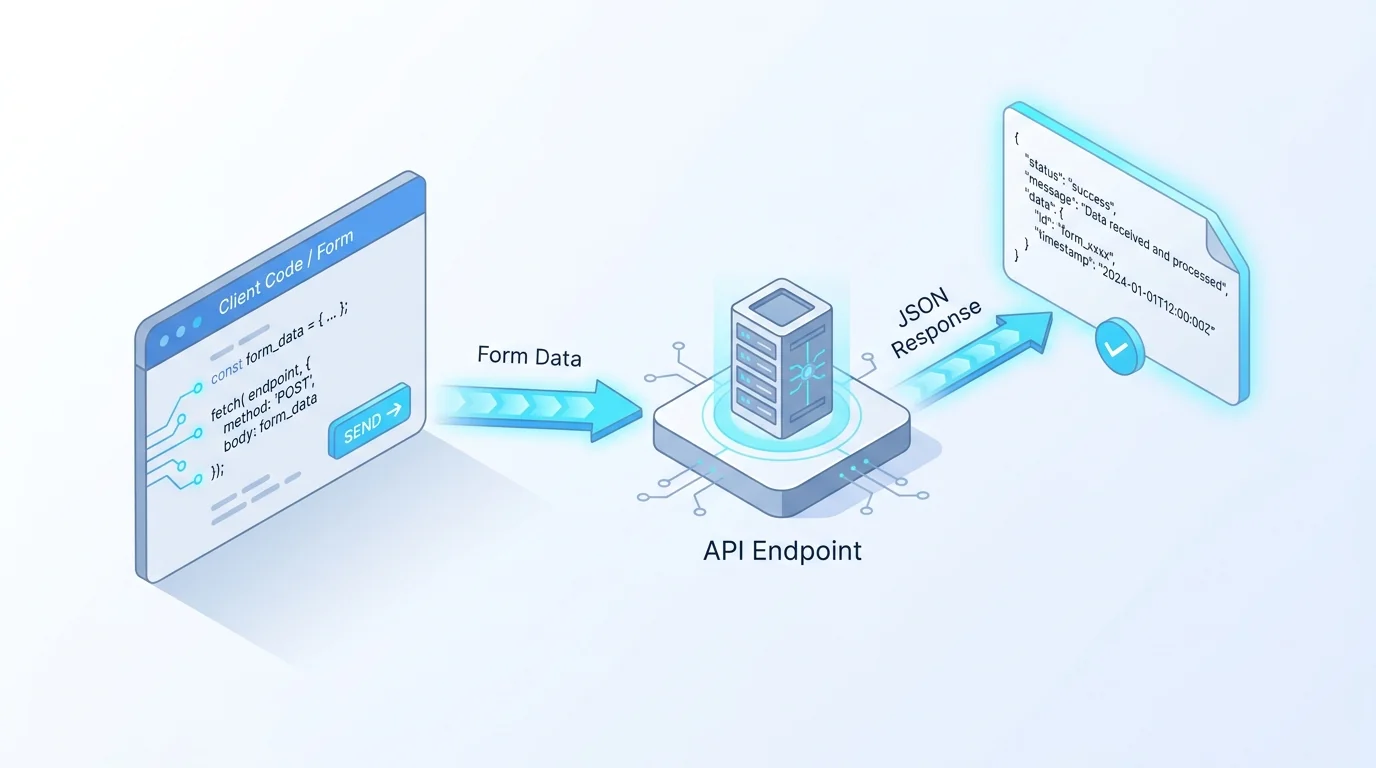
Under all four capabilities is the same web primitive: an HTTP request, usually a fetch from your code to the platform's endpoint, carrying JSON or form data and getting a structured response back. If you're comfortable making requests with fetch, you already know most of what working with a form builder API involves; the platform-specific part is just the endpoint, the auth header, and the response shape.
Build-Time vs Run-Time Form Builder APIs
"Form builder API" can mean two quite different things, and conflating them leads to disappointment. A build-time (or form-management) API lets you create and manage the forms themselves in code, programmatically generating a form, adding fields, updating it, listing forms. A run-time (or data) API lets you work with submissions, posting data, retrieving responses, and receiving webhooks, while the forms are authored elsewhere. Some platforms offer both; many offer only one. Knowing which you need, and which a tool actually provides, is the most important thing to check.
| API type | What it does | Example operations | Forms Expert |
|---|---|---|---|
| Build-time (form management) | Create and manage forms in code | Create a form, add fields, update, list forms | Limited — forms are authored in the visual builder and AI Edit, not a full create-forms-via-API surface |
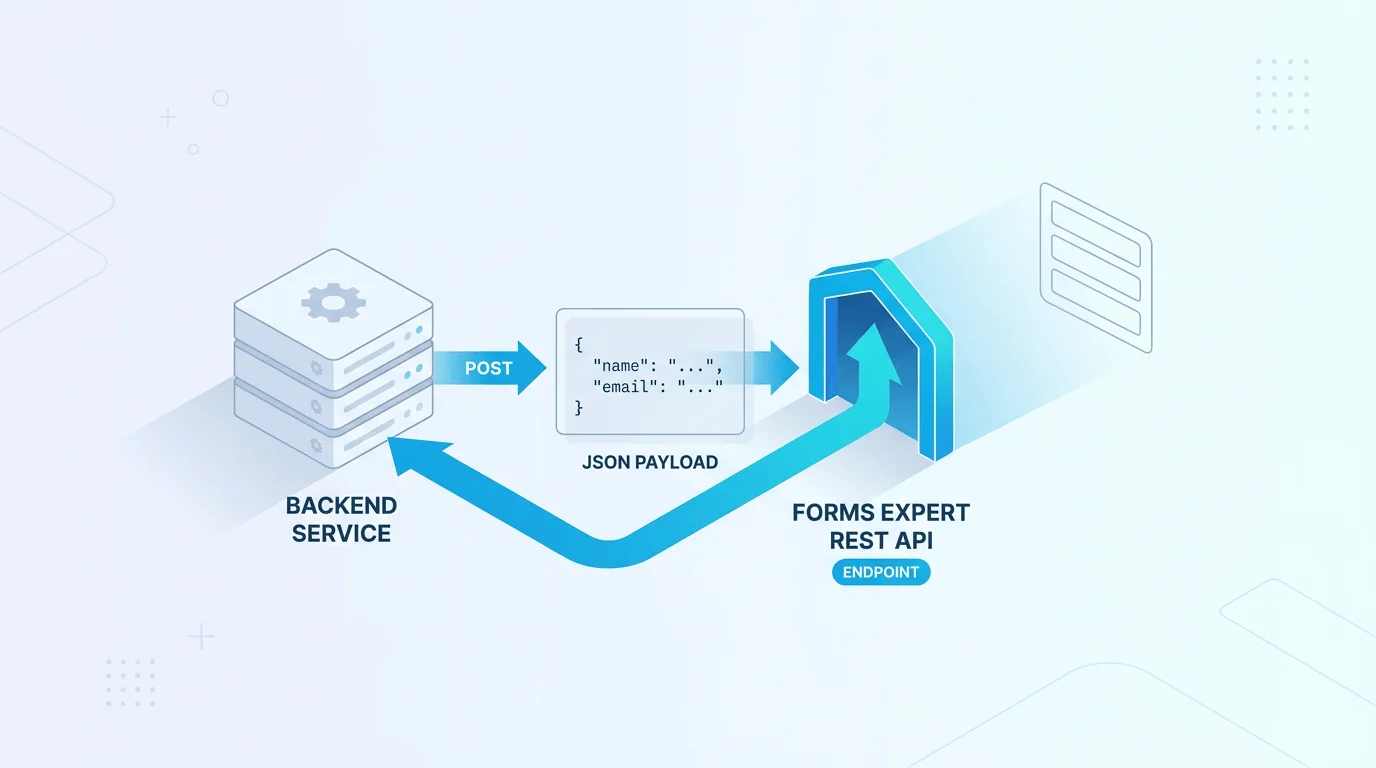
| Run-time (data) | Submit, retrieve, and deliver form data | POST a submission, receive webhooks, validate | Yes — REST submission endpoint, signed webhooks, SDK embed |
To be straight about where our own tool sits: Forms Expert is run-time-focused. Its developer surface is about submitting, delivering, and embedding form data, you author forms in the visual builder (with AI assistance), not by calling a create-a-form API on the level of a fully headless platform like Form.io. If your requirement is to spin up and manage forms entirely from code, look specifically for a build-time API and verify it does what you need; if your requirement is to wire form data into your stack (which is the more common developer need), a run-time API is what matters. We'd rather tell you that plainly than let "has an API" imply more than it delivers.
There's a practical reason run-time APIs are more common: most teams don't need to create forms from code, they need form data to flow into their systems. Generating forms programmatically is a niche requirement (form-heavy products, white-label platforms), whereas almost every integration needs submissions delivered somewhere. So if a tool offers only a run-time API, that's not a gap for most use cases, it's the part you were going to use anyway.
Headless Form Builders and Form Backends
A related category is the headless form builder or form backend: you own and build the front end (your own HTML or React form), and the service handles the backend, receiving submissions, storing them, spam-filtering, and forwarding them on. Tools in the FormBold and Formium mould take this shape: point your form's action (or a fetch) at their endpoint and they catch and process the data, no hosted form UI required.
The headless model suits developers who want full control of the markup and only need a managed place to send the data. The trade-off is that you build and maintain the form's front end yourself, getting design, validation UX, and accessibility right, while the service handles storage and delivery. It sits between two extremes: more hands-on than a fully hosted form builder (where the UI is built for you), and less work than rolling your own backend (storage, security, and delivery handled for you). If you want a form that lives entirely inside your own app and just needs a reliable, secure backend, a headless form builder or form backend is the category to look at. Whether you also want a visual builder for non-developers on your team is the question that decides between headless and a hosted builder with an API.
In practice the line blurs: some hosted builders (including run-time-focused ones) can be used headlessly by ignoring the hosted page and using only the submission API and SDK, giving you a visual builder for colleagues and a code path for yourself. So headless-or-hosted isn't always either/or, a hosted builder with a solid run-time API can serve both audiences from the same form.
How to Authenticate to a Form Builder API
Almost every form builder API authenticates with API keys, and the important pattern is splitting them by exposure. A publishable key is safe to use in client-side code (it typically only permits submission and validates the request's origin), while a secret key must stay server-side and grants broader access. The rule is simple and absolute: never put a secret key in browser code. Here's a server-side call authenticated with a secret key:
Beyond the key split, check three things on any platform. Allowed origins: a publishable key should be restricted to the domains that may use it, so it can't be lifted and reused elsewhere. Live and test modes: separate keys for testing and production let you develop without polluting real data. Rotation and revocation: you should be able to roll a key (and revoke a leaked one) without downtime. One honest caveat that applies widely: some platforms display a "scopes" field on keys but don't actually enforce it, so don't assume a key is least-privilege just because the UI suggests it, confirm the restriction is real before depending on it. Treat keys as full-access for their tier unless the platform documents and enforces otherwise, and lean on the publishable/secret split plus origin and IP limits for security. OWASP's REST Security Cheat Sheet covers the rest.
Choosing a Form Builder API
The real decision is often build-your-own-backend versus a managed form builder API. Building your own gives total control and no per-form cost, but you own storage, validation, spam protection, deliverability, security, and maintenance forever, which is a lot of undifferentiated work for what is, after all, a form. A managed form builder API hands all of that off and adds a UI for non-developers, at the cost of a subscription and a dependency. For most teams, unless forms are core to your product, the managed route wins on time-to-ship and total cost of ownership.
If you go managed, check the things that actually matter for integration: Does it offer the API kind you need (build-time, run-time, or both)? Does it have signed webhooks with retries, so deliveries are secure and reliable? Is there a real SDK for your framework, or only a bare iframe? What are the request and submission caps on the plan you'd use, and what happens when you hit them? And are the keys sensibly split into publishable and secret with origin restrictions? Those five questions, more than the marketing, tell you whether an API will actually fit your stack. The companion run-time guide, API forms and how to send form data to an API, goes deeper on the submission and delivery mechanics.
One more thing worth confirming: that the API behaves predictably under the standards you'd expect, sensible HTTP status codes (per RFC 9110) and clean JSON request and response bodies (per RFC 8259). It sounds basic, but an API that returns a 200 with an error buried in the body, or non-standard payloads, is a tax you pay on every integration. Good form builder APIs are boringly standards-compliant, which is exactly what you want.
Forms Expert as a Form Builder With an API
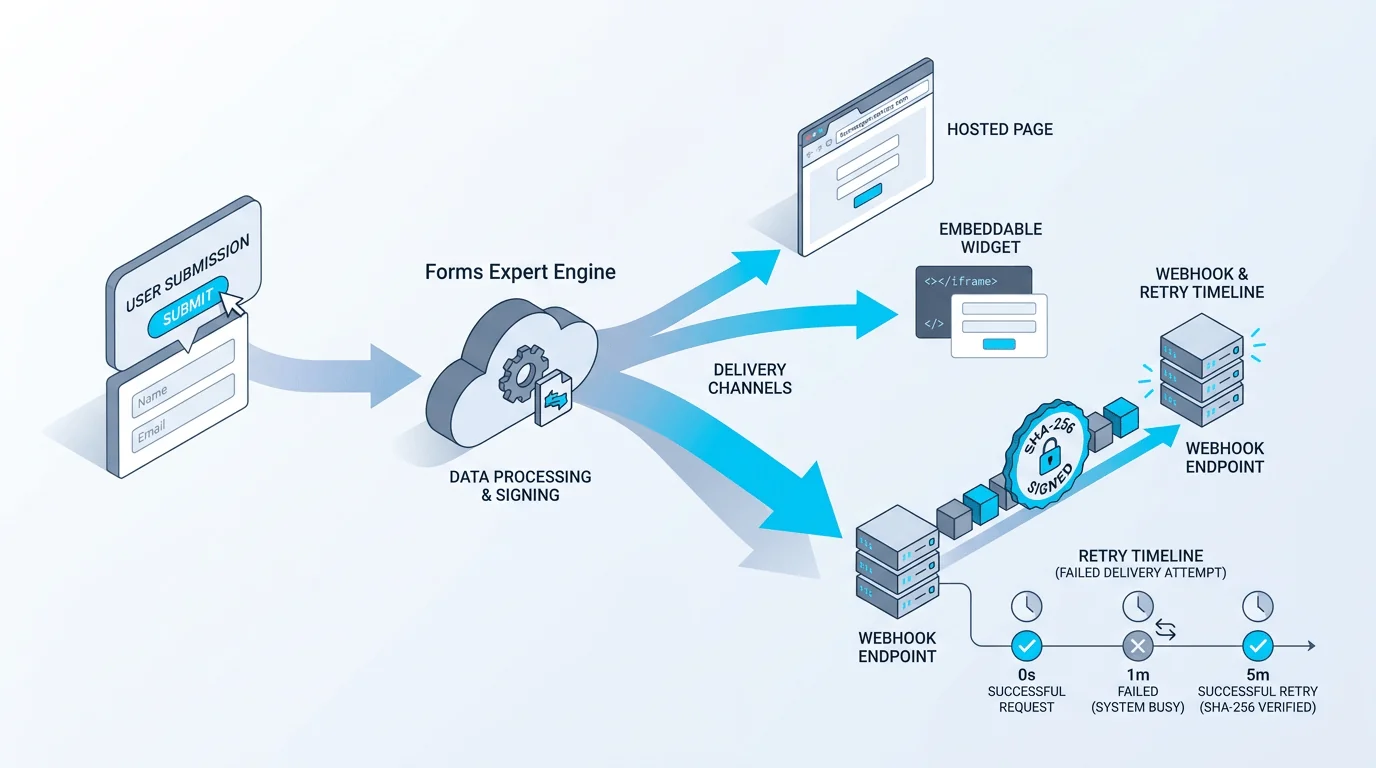
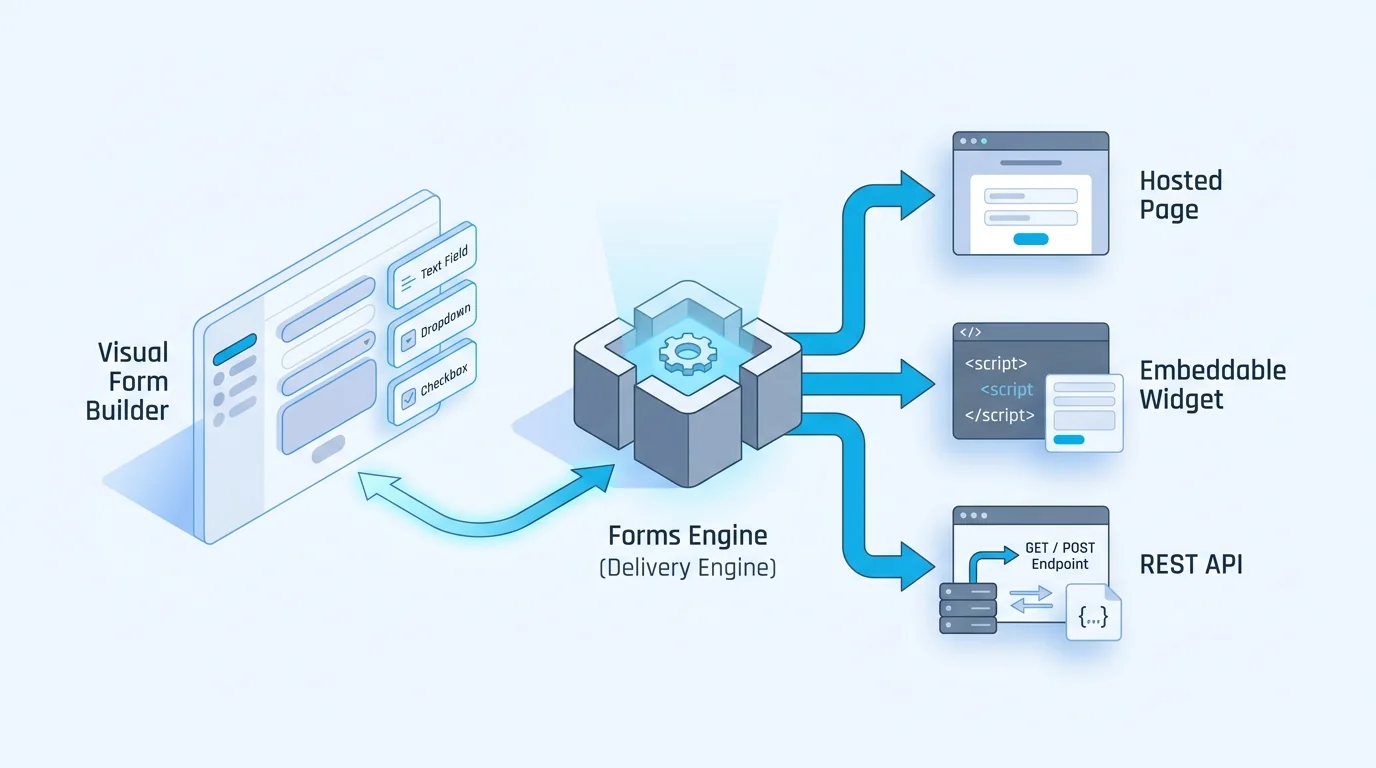
Here's how Forms Expert fits the category, scoped honestly. You build forms in the visual builder (with AI assistance to generate and edit them), and every published form gains a developer surface focused on run-time delivery: a REST submission endpoint (POST /f/{resourceId}/{slug} with a publishable pk_ key; the exact request shape is in the REST submission guide), /is-active and /validate routes for pre-checks, signed webhooks for push delivery, and the published @forms.expert/sdk (React's FormsProvider and FormsExpertForm, plus Vue, vanilla, and a CDN build) for embedding. The same form ships as a hosted page, an auto-resizing embed, and this API at once, the one form, three channels model on the embeddable-forms page.
The honest scoping: this is a run-time / delivery API, not a full create-forms-from-code platform, authoring lives in the visual builder and AI Edit, so if you specifically need programmatic form CRUD on the level of a fully headless platform, that's not the primary design. The key model is a publishable pk_ key (origin-validated) and a secret sk_ key (IP-restrictable), with live/test modes and rotation; note that API-key scopes are stored but not enforced, so rely on the key split and origin/IP limits, not scopes, for security. Delivery is via signed webhooks (X-FormsExpert-Signature, HMAC SHA-256, retried up to five times with backoff) plus email and Telegram notifications, there is no Slack channel. Monthly API request caps run 1,000 (Free), 10,000 (Starter), 100,000 (Pro), and 1,000,000 (Business), so yes, there's genuine free API access for developers to try, within that 1,000-request Free limit. For the delivery half in depth, see signed webhooks that retry.
Frequently Asked Questions
It's a hosted form builder that also exposes a programmatic interface, a REST API, an SDK, or both, so you can work with your forms and their data in code rather than only through the product's UI. You design a form visually, then your application can submit to it, retrieve responses, receive submissions via webhooks, or embed it with a library. The point is integration: it turns a closed tool into a component of your stack, with the builder handling hosting, storage, and validation while your code controls where the data goes. Note that this is different from a framework class like Angular's FormBuilder, which builds reactive forms inside your own app and isn't a hosted product API.