Ask people to rate ten features and they'll call nine of them "very important." Ask them to rank those same ten and suddenly you learn what they'd actually fight for. That's the whole appeal of a ranking survey question: it forces the trade-offs that rating questions let people dodge. This guide covers what a ranking question is, examples you can copy, how ranking compares to rating, how many items to include, and how to read the results without misleading yourself.
What Is a Ranking Survey Question
A ranking survey question, also called a rank-order question, asks respondents to put a set of items in order according to some criterion, like importance, preference, or priority. Instead of scoring each item on its own, the respondent arranges them from first to last, so every answer is relative: an item is ranked higher or lower than the others, not judged in isolation.
The defining feature is that ranking forces a choice. On a rating scale, a respondent can give every option top marks and never reveal a preference. In a rank-order question, only one item can sit in first place, so people have to decide what actually matters most to them. That constraint is the entire point. It's what turns a flattering list of "everything is important" into a usable order of priorities you can act on.
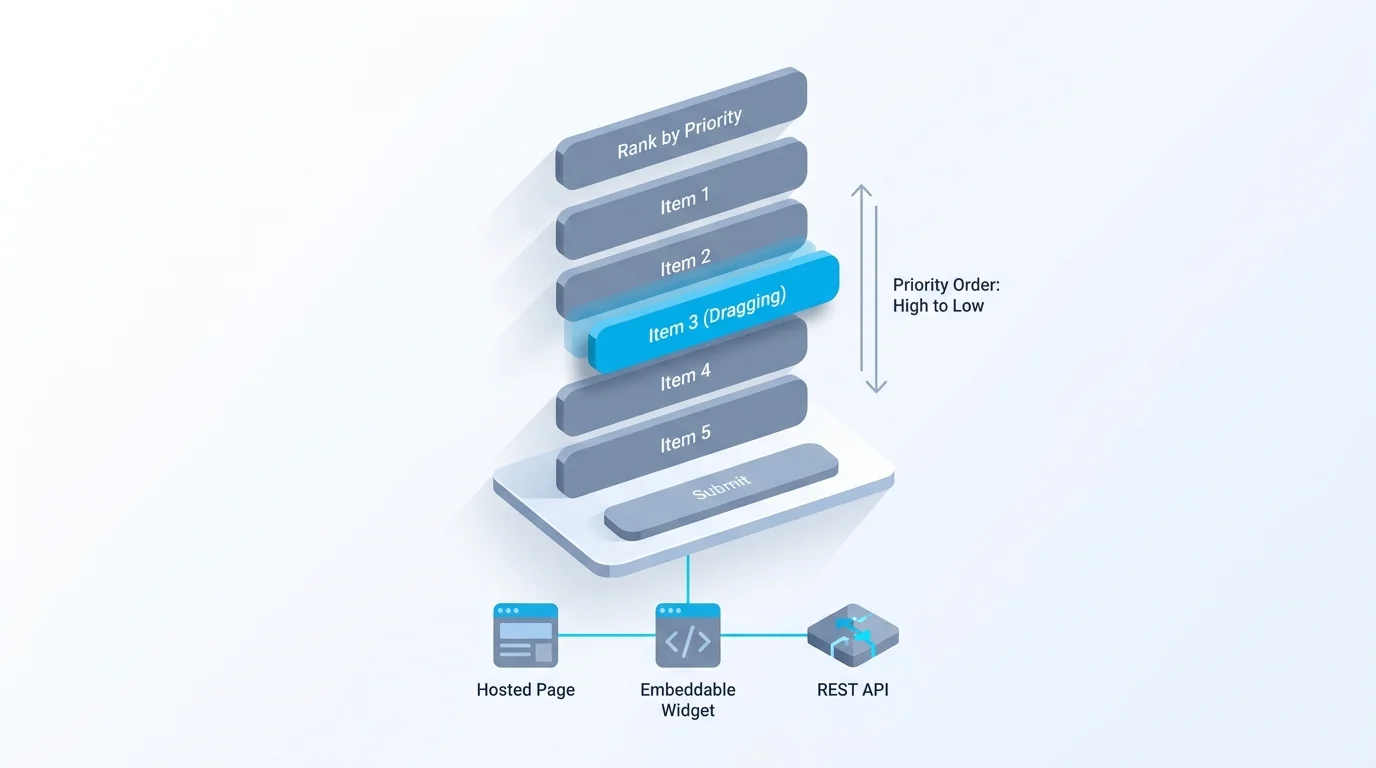
Mechanically, ranking is one of the core survey question types, sitting in its own family alongside closed questions like multiple choice and scaled questions like Likert. Most modern survey tools present it as a drag-and-drop list, where respondents physically move items up and down, though it can also be done by assigning a number to each item. Either way, the output is the same: an ordered list per respondent, which you then combine across everyone to find the group's priorities.
It's worth pausing on why the forced choice matters so much. When nothing is at stake, people answer aspirationally: of course support and speed and price and design all matter. Ranking removes the comfort of saying yes to everything, and what's left is closer to how they'd actually behave when they have to pick one. That's why product and research teams lean on ranking for prioritization decisions, where knowing the true order is worth the extra effort it asks of respondents.
Ranking Survey Question Examples
The fastest way to understand ranking questions is to see a few. These are copy-ready; swap in your own items and keep the list short.
- Rank these features by how important they are to you
- Rank these factors in your buying decision: price, quality, support, speed, reputation
- Put these potential features in the order you'd like us to build them
- Rank these ways of being contacted from most to least preferred: email, phone, chat, SMS
- Order these benefits from most to least valuable to you
- Rank these topics by how much you'd like to see them covered
- Put these options in order of preference
- Rank these parts of our service by where we should improve first
- Order these proposed meeting times by what works best for you
- Rank these article ideas by how useful they'd be to your work
A pattern runs through all of them: each asks for one clear ordering criterion (importance, preference, priority) applied to a small set of comparable items. That's the recipe. The criterion has to be singular, because "rank these by importance and cost" is two questions wearing one coat, and the items have to be comparable, because ranking apples against opinions produces nonsense. Get those two things right and a ranking question almost writes itself.
One more note on the items: keep them mutually distinct. If two options overlap heavily, like "price" and "affordability," respondents waste effort deciding between near-synonyms and your results blur. Each item should be something a person could clearly prefer over the others.
Ranking vs Rating Survey Questions
Ranking and rating are easy to confuse and answer different questions. A rating question asks respondents to evaluate each item independently, usually on a scale. A ranking question asks them to compare items against each other and put them in order. The difference sounds small and changes everything about what you learn.
Rating gives you each item's standalone score, which is great when you want to track satisfaction with something over time, or when items genuinely can all be good or all be bad. Its weakness is the one from the intro: with no forced trade-off, people inflate, and you end up with a wall of 4s and 5s that hides their real priorities. Ranking gives you relative priority, which is exactly what you want when resources are limited and you need to know what to do first. Its weakness is that it tells you the order but not the gap, since a ranking can't reveal whether first place beat second by a mile or a hair.
The table sums up the trade-off. Neither is better in general; they answer different questions, and a thoughtful survey sometimes uses both, rating to size the absolute level and ranking to settle priorities.
A practical combination looks like this: rate each feature one-to-five to see whether the whole set is loved or merely tolerated, then rank those same features to decide the build order among them. The rating tells you if you're in good shape overall; the ranking tells you what to touch first. Run back to back on a short list, the pair costs the respondent little and tells you far more than either alone.
| Ranking question | Rating question | |
|---|---|---|
| What you ask | Put these items in order | Score each item on its own scale |
| What you learn | Relative priority between items | Each item's standalone value |
| Forces trade-offs | Yes, only one item can be first | No, everything can score top marks |
| Hides the gap size | Yes, order only | No, the scores show distance |
| Best for | Priorities and preferences | Tracking levels over time |
How to Write Good Ranking Survey Questions
Ranking questions are easy to get wrong in ways that quietly wreck the data. A few rules keep them clean.
Keep the list short, around six items at most. Ranking is cognitively heavy: comparing five things is manageable, comparing twelve is a chore that makes people give up or rank the last few at random just to finish. If you have a long list, narrow it down first or split it. Make the items comparable. Everything in the list should be the same kind of thing, judged on the same criterion, so people aren't ranking "price" against "the mobile app" against "how it makes me feel." Use one clear criterion. Tell people exactly what to rank by (importance, preference, likelihood) and only one thing at a time.
Shuffle the item order between respondents. This one matters more than people expect. Items shown at the top of a list tend to get ranked higher just for being there, a bias the order of presentation introduces rather than real preference. Randomizing the starting order for each respondent cancels that out across your sample. Qualtrics covers this and other pitfalls well in its dos and don'ts of ranking questions. Finally, consider whether you need a full ranking at all. If you only care about the top few, asking people to pick their top three is easier to answer than forcing a complete order of ten, and often tells you everything you needed. For the broader rules that apply to every format, our guide to good survey questions covers wording and neutrality.
Decide how to handle ties and indifference. Some respondents truly rank everything; others are indifferent below their top pick. A full drag-and-drop ranking forces an order even where none exists, which adds noise to the lower positions, so if that's a risk, ask for a top-three and treat the rest as a genuine "didn't make the cut." The Pew Research Center's guidance on writing survey questions is a solid general reference on phrasing that applies to ranking prompts too.
How to Analyze Ranking Survey Results
Ranking results take a little more thought to read than a simple average, because each respondent gives you an order rather than a number.
The most common method is the average rank. Assign each position a number (first place is 1, second is 2, and so on), then average each item's position across all respondents. The item with the lowest average rank is the group's overall favorite, since a lower number means it landed nearer the top more often. It's simple and usually enough to see the group's priorities at a glance. Just remember the direction: lower is better, which trips people up at first.
A quick worked example. Say five people rank three features A, B, and C. If A's positions are 1, 1, 2, 1, 2 (average 1.4), B's are 2, 3, 1, 2, 3 (average 2.2), and C's are 3, 2, 3, 3, 1 (average 2.4), then A wins clearly while B and C sit close enough that you'd check the distribution to separate them. The math is plain arithmetic, which is part of why average rank is the default.
There's a subtlety worth knowing. Average rank can hide disagreement. An item that everyone puts squarely in the middle and an item that half love and half hate can land on the same average, so it's worth also looking at the distribution, how often each item took first place, or how often it landed in the top three. A "most often ranked first" view sometimes tells a sharper story than the average alone. In Forms Expert, collecting ranking responses and reading a basic results overview is available on every plan, including Free; the deeper per-field analytics that break the distribution down sit on the Pro tier, so on Free you'd compute the average rank yourself from the raw responses.
It's also worth checking how many people completed the ranking versus dropped out on it. Rank-order questions see higher abandonment than a click-one multiple choice, and a question that loses a chunk of respondents leaves you with a biased sample of only the most patient ones. If completion on the ranking item is low, that's a signal the list was too long or the task too fiddly, and it's worth fixing before you trust the order.
When to Use a Ranking Question
Reach for a ranking question when you need priorities and resources are limited. The classic case is a roadmap: you can't build every feature at once, so asking customers to rank them tells you where to start in a way that rating never will, because rating lets everyone vote "yes, all of them." Anytime the honest answer is "we can't do everything, so what matters most," ranking is the format that respects that.
It's the wrong tool in a few situations, though. If you want to track a level over time, like satisfaction or likelihood to recommend, use a rating or a scale, because a ranking only makes sense within one survey and can't be compared across periods.
A concrete example of the wrong fit: don't use a ranking question to track customer satisfaction quarter over quarter. Ranking your support, product, and pricing against each other this quarter and next tells you their internal order, but not whether satisfaction with any of them actually rose or fell, which is usually the thing you wanted to know. That job belongs to a rating or a Likert scale. If you only care about the single most popular option, a plain multiple choice ("which one would you pick?") is faster for respondents and clearer to analyze. And if your items aren't really comparable, don't force them into an order at all. Use ranking when the order is the insight, and reach for other question types when it isn't.
Beyond roadmaps, ranking earns its keep anywhere you're allocating something scarce: which perks to fund, which research topics to pursue next, which candidates a panel prefers, which sessions to put in an event's prime slots. The common thread is a fixed budget of attention or money and a need to know the order, not just the average enthusiasm for each option.
Build a Ranking Survey Question
Adding a ranking question to a survey is quick. In Forms Expert, add a ranking field, enter your items, set one clear ordering criterion in the question text, and enable order randomization so position bias doesn't skew the results. Building and collecting ranking responses works on every plan, including Free.
Keep the list to around six comparable items, pair the ranking with one open follow-up if you want to know why people ordered things the way they did, and use conditional logic if later questions should depend on what someone ranked first. When you publish, the survey ships as a hosted page, an embeddable widget, or a REST endpoint, so you can run it wherever your audience is, and the survey templates give you a starting point if you'd rather not build from scratch.
If respondents might not have an opinion on every item, decide up front whether to require a full ranking or let them rank only the ones they care about. Forcing a complete order when people genuinely don't have one just adds noise to the bottom of your results.
The honest note on analysis: collect responses and read the basic overview on any plan, computing average rank yourself on Free, and move to Pro when you want the per-field breakdowns that show the full distribution. Ranking questions are a small tool with an outsized payoff: when you genuinely need to know what comes first, they're the only format that makes people decide. Build one from the home page and put the trade-off back where it belongs, with your respondents.
Frequently Asked Questions
A ranking survey question asks respondents to put a set of items in order according to a single criterion, such as importance or preference, rather than scoring each item on its own. Every answer is relative: an item is ranked above or below the others. The defining feature is that it forces a choice, since only one item can be ranked first, which reveals real priorities that a rating scale lets people dodge. Most tools present it as a drag-and-drop list, and the output is an ordered list per respondent that you combine across everyone to find the group's priorities.