Typeform vs Google Forms is one of the most common form-tool face-offs, and for good reason: they sit at opposite ends of the spectrum. Typeform is the premium, design-led, paid option; Google Forms is the free, ubiquitous, no-frills one. Most of the time the right answer is genuinely obvious once you know which trade-off you care about, and this comparison lays them out side by side, dimension by dimension, ending in a clear verdict for each. We make a different form tool (Forms Expert), so to be useful here we've kept the comparison neutral: the verdict below is about Typeform and Google Forms on their own terms, and our tool gets only a brief mention at the end as one alternative.
A note on method: the comparison below weighs the two on the dimensions that actually differ in practice, price, design, logic, embedding and API, analytics, integrations, and AI, rather than a long feature checklist where most rows are tied. Both tools make a perfectly good form; the differences that matter are the handful where they genuinely diverge, and those are what decide the choice.
Typeform vs Google Forms: The Quick Verdict
If you want the answer in two sentences: choose Typeform if design, respondent experience, and completion rate matter and you're willing to pay for them; choose Google Forms if you want a free, fast, no-friction form and don't need polish or an API. Typeform is the better-built product; Google Forms is the better deal. Almost everything below follows from that one trade-off.
It's worth saying this is a real either/or, not a case where one tool is simply worse. Typeform genuinely builds a better form; Google Forms genuinely costs nothing. Neither fact cancels the other, so the honest comparison is less about which is best and more about which trade-off, paying for experience or saving money on function, fits your situation.
Here's the head-to-head at a glance.
| Dimension | Typeform | Google Forms |
|---|---|---|
| Price | Paid, volume-metered (free ≈ 10 responses/mo) | Free, unlimited responses |
| Design | Premium, conversational | Basic, functional |
| Best for | Design-led, customer-facing forms | Free, quick, internal forms |
| Embed & API | Auto-resizing embed + React library + API | Plain iframe, no first-class API |
| Analytics | Built-in, deeper | Exports to Google Sheets |
| Setup | Account required | Zero friction with a Google account |
What Is Typeform
Typeform is a premium form and survey builder known for its conversational, one-question-at-a-time format. Instead of showing a whole form at once, it presents questions one by one in a polished, interactive flow, which tends to feel more like a conversation than a form and often lifts completion on engaging, customer-facing surveys. It's a paid product (with a small free tier), aimed at teams that care about design, brand, and respondent experience.
Its strengths are real and worth conceding up front: best-in-class design, a genuine completion-rate advantage on the right kind of form, mature integrations with tools like Salesforce, HubSpot, and Zapier, a published React embed library, and broad AI features for generating forms and adaptive follow-ups. The catch is price and pricing model, covered below.
It's worth being specific about who Typeform is for. It shines for marketing teams, founders, and anyone whose form is part of the customer experience, a product-feedback survey, a lead magnet, a stylish application form, where the look and feel directly affect how many people finish. For those use cases the conversational format isn't a gimmick; the completion-rate lift is real. What it's not built for is high-volume, cost-sensitive, or purely internal data collection, where its pricing model works against you.
What Is Google Forms
Google Forms is Google's free form builder, bundled with a Google account and Workspace. It's one of the most widely used form tools in the world precisely because it's free, instantly available to anyone with a Google login, and tied directly into Google Sheets and Drive. You can build a form in minutes with no signup step beyond the Google account you already have.
Its strengths are also real: it's free with unlimited responses, has effectively zero setup friction, and feeds responses straight into Sheets for analysis. The trade-offs are that it's basic by design, limited styling, generic look, section-based branching rather than rich logic, and no first-class API (automation goes through Google Apps Script). It's superb for quick, internal, or low-stakes forms and thin for anything that needs polish or programmatic access.
Google Forms earns its enormous user base honestly. For a teacher collecting assignments, an office running a lunch poll, an event gathering RSVPs, or a team fielding a quick internal survey, it's not a compromise, it's the right tool, free and instant. Its limits only bite when the form leaves the internal, low-stakes context it's perfect for. Knowing that boundary, internal and simple versus external and polished, is most of the decision between these two.
On the technical side, it's worth being precise: Google Forms has no first-class public API for general programmatic use. You can automate it with Google Apps Script, which reads responses and triggers actions inside the Google ecosystem, but that's a scripting workaround rather than a developer API, and it's noticeably more limited than Typeform's. If a developer needs to build on top of your form, that gap is decisive.
Typeform vs Google Forms, Compared Dimension by Dimension
Here's the fair scorecard, with a winner named per dimension. Note that Typeform wins most rows on capability, while Google Forms wins decisively on price, which is exactly the trade-off the quick verdict describes.
In other words, this isn't a tool where one option dominates across the board; it's a clean split between capability and cost, which is why the verdict comes down to your priorities rather than a points total.
A few rows deserve a note. On price, Google Forms is free with unlimited responses, while Typeform is volume-metered with a small free tier (around ten responses a month) and paid plans roughly $25–99 a month self-serve, with higher Growth tiers around $199–349; partial completions can count toward your limit, so a popular Typeform can get expensive. (Figures are approximate, 2026, US, verify current pricing.) On embedding and API, Typeform offers an auto-resizing embed, a published React library, and a real API, whereas Google Forms gives you a plain, non-resizing iframe and no first-class API. On question types and logic, it's close: Typeform's logic jumps are more flexible, but Google Forms' section branching covers most needs. For a second, third-party opinion, the comparison aggregators at G2 and Capterra collect user ratings on both.
On analytics, Typeform gives you built-in completion and drop-off insights out of the box, while Google Forms shows a basic summary and leans on exporting to Sheets for anything deeper, fine if you're comfortable in a spreadsheet, limiting if you're not. On integrations, Typeform connects natively to tools like Salesforce, HubSpot, and Zapier, which matters if responses need to flow into a CRM or marketing stack; Google Forms integrates tightly with Sheets and Drive but relies on add-ons or Apps Script beyond the Google ecosystem. On AI, Typeform has invested in form generation and adaptive follow-up questions, while Google Forms' AI help comes via Gemini in paid Workspace tiers. None of these rows is close enough to flip the overall verdict, but together they explain why Typeform is the more capable tool for serious, customer-facing work, and why that capability costs money.
| Dimension | Winner | Why |
|---|---|---|
| Price & response limits | Google Forms | Free with unlimited responses; Typeform is paid and volume-metered |
| Design & experience | Typeform | Conversational, one-question-at-a-time, lifts completion |
| Question types & logic | Close | Typeform's logic jumps vs Google's section branching; both capable |
| Embedding & API | Typeform | Auto-resizing embed, React library, and API vs a plain iframe and no first-class API |
| Analytics & reporting | Typeform | Deeper built-in analytics; Google Forms exports to Sheets |
| Integrations | Typeform | Native Salesforce, HubSpot, Zapier; Google leans on Sheets and Drive |
| AI | Typeform | Form generation and adaptive follow-ups; Google's Gemini is paid Workspace |
When to Choose Typeform (and When Not To)
Choose Typeform when the form is customer-facing and the experience matters: a marketing survey, a lead-capture form, an onboarding questionnaire, anything where design and completion rate affect the result. If a few percentage points of extra completion are worth a subscription, Typeform usually earns its price. It's also the better choice when you need its mature integrations or its conversational AI.
Don't choose Typeform when budget is tight or volume is high and unpredictable. Because pricing is volume-metered and partial completions can count, a form that takes off can cost far more than expected, and if you don't need the design polish, you're paying for something you won't use. For a simple internal form, Typeform is overkill.
A useful gut check: picture the person filling out the form. If they're a customer, a prospect, or a candidate whose impression of your brand matters, and a smoother experience would plausibly get more of them to finish, Typeform's case is strong. If they're a colleague answering a quick internal question, it almost never is. The completion-rate advantage is worth most when completion is both uncertain and valuable.
When to Choose Google Forms (and When Not To)
Choose Google Forms when you want a free, fast form with no friction: an internal poll, an event RSVP, a quick quiz, a low-stakes survey, especially if you already live in Google Workspace and want responses in Sheets. For the large set of forms where function beats form, it's the obvious, no-cost choice, and there's no shame in it being the right answer.
Don't choose Google Forms when you need design control, a clean auto-resizing embed for a customer-facing site, rich conditional logic, or a real API to wire forms into an app. Those are exactly the things it doesn't do well, and forcing it leads to a form that looks generic or an automation held together with Apps Script. When the form represents your brand or feeds your software, you've outgrown it.
The same gut check applies in reverse. If the form is internal, temporary, or low-stakes, an RSVP, a quiz, a quick poll, paying for anything fancier is hard to justify, and Google Forms' speed and zero cost are exactly right. Many teams run dozens of Google Forms for the simple cases and reserve a paid tool for the few that face customers. Using the free tool where it fits and a paid one where it doesn't is the sensible, non-dogmatic approach.
A Third Option: When Neither Fits
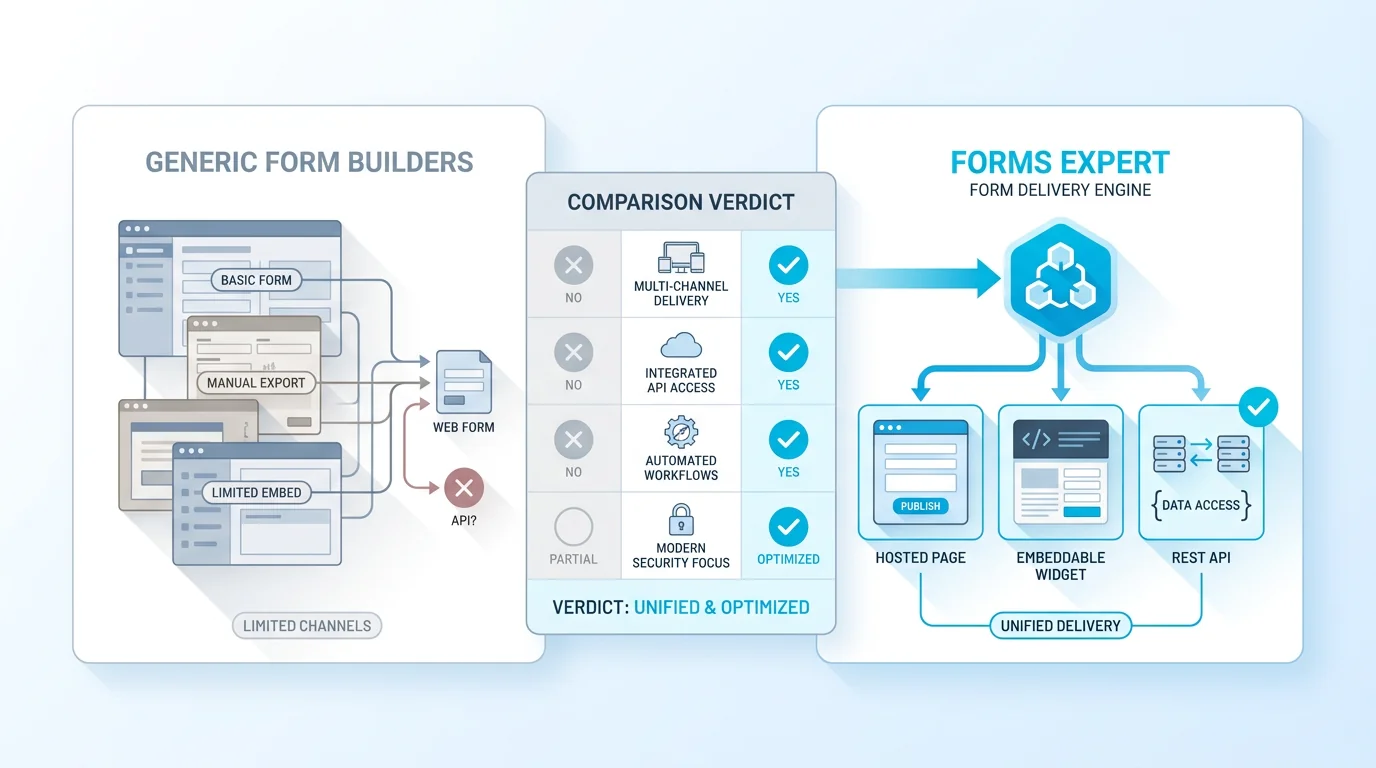
Sometimes the honest answer is that neither quite fits, you want more than Google Forms offers but don't want Typeform's volume-metered pricing, or you specifically need the form to be an embeddable widget and an API at the same time. That's the narrow gap our own tool, Forms Expert, is built for, and we'll keep this brief and honest: it isn't trying to beat Typeform on design and AI breadth, or Google Forms on free and ecosystem.
To be clear, it's one of several middle-ground options, not the only one; Tally, Jotform, and others each fill a different gap between free-and-basic and premium-and-metered. The point of this section isn't to crown a third winner but to note that Typeform-or-Google-Forms isn't always a binary, if both leave you wanting, the wider field is worth a look.
Where it fits is a specific buyer: one form definition that ships as a hosted page, an auto-resizing embed, and a REST API at once (with a published SDK, @forms.expert/sdk, for React, Vue, and vanilla), on flat pricing ($0 / $9 / $29 / $99) with no per-response cliff, the reasoning we explain in why we don't bill per response. Its free tier is capped at 100 submissions a month, so it isn't the free pick that Google Forms is; its draw is the triple-delivery model and predictable pricing, plus AI form generation and editing. If that's your gap, it's worth a look; if not, the verdict above stands. For the fuller picture, see our honest Typeform alternative and Google Forms alternative pages, the broader best form builders roundup, and the best survey tools list.
The bottom line on Typeform vs Google Forms hasn't changed by introducing a third name: if you need polish and completion and can pay, choose Typeform; if you need free and simple, choose Google Forms; and if you fall in the gap between them, it's worth widening the search. Start from the trade-off you actually care about, and the right tool, whether it's one of these two or another, follows from there. That clarity, knowing your own priority before you compare the tools, is what turns a choice that looks hard into one that's actually easy.
Frequently Asked Questions
It depends on what you're optimising for, neither is universally better. Typeform is the better-built product: superior design, a conversational one-question-at-a-time experience that often lifts completion, deeper analytics, mature integrations, and a real API. Google Forms is the better deal: free, instant, and unlimited responses. So Typeform is better for design-led, customer-facing forms where experience and completion matter, while Google Forms is better for free, quick, internal forms where function beats polish. If a few points of extra completion are worth paying for, choose Typeform; if you want a capable form at no cost, choose Google Forms.