A consent form turns a yes into a record: proof that someone understood what they were agreeing to and agreed to it. Whether you're a photographer needing a media release, a clinic documenting treatment, a researcher running a study, or a business collecting personal data, the form is how you capture that agreement clearly and keep it. This guide covers what a valid consent form must include, the main types, a five-step build, and an honest line on what a consent form does and doesn't do. One note up front: this is about how to structure and store consent, not legal advice.
What Is a Consent Form, and What Must It Include
A consent form is a document in which a person agrees, in writing, to something specific: their data being processed, their photo being used, a procedure being performed, or their participation in research. Its purpose is twofold, to make sure the person genuinely understands what they're agreeing to, and to create a dated record of that agreement you can rely on later.
The wording varies by context, but a valid consent form generally includes the same core elements. Use this as a checklist:
- A clear statement of what's being consented to, in plain language
- The purpose: why you're collecting the consent and what you'll do with it
- The scope and any risks, so the person knows what they're agreeing to and what they're not
- The parties involved (who is asking, and who is consenting)
- The date the consent was given
- A signature or an explicit agreement action
- Contact information for questions
- The right to withdraw consent, and how to do it
The single most important principle running through all of these is that consent must be informed and specific. A vague "I agree to everything" buried in fine print isn't real consent. The clearer and more specific the statement, the more the form actually protects both sides. Regulators are explicit about this: the UK ICO's guidance on consent under the GDPR stresses that consent must be a freely given, specific, informed, and unambiguous indication of agreement, which is a good bar to hold any consent form to.
Why does specificity matter so much? Because vague consent isn't really consent, it's a signature on a blank check. If someone agrees to "data processing" without knowing you'll share their email with three partners, they haven't meaningfully agreed to that. The more precisely the form names what's happening, the more it actually protects both the person agreeing and the organization relying on it. Specificity isn't legal nitpicking here; it's the whole point.
Types of Consent Forms
Consent forms share a backbone but differ by what they add. Knowing which type you're building tells you which extra elements you need.
A data-processing or GDPR consent form is about permission to collect and use personal data, and it lives or dies on specificity: separate, clear opt-ins rather than one bundled checkbox. A photo or media release grants permission to use someone's image, video, or words, and should spell out where and for how long. A research or informed consent form is the most demanding, it must explain the purpose, procedures, risks, the voluntary nature of participation, and the right to withdraw, and in formal research it goes through an ethics board. For the formal requirements there, the US Department of Health and Human Services lists the required elements of informed consent under 45 CFR 46.116. A treatment consent form documents that someone understood a procedure and its risks before it happened. The table sorts them.
One pattern worth borrowing across all of them is layered consent: lead with a short, clear summary of what someone is agreeing to, and expand into the full detail for those who want it. People skip walls of text, so a form that states the essence plainly and keeps the long version available is both more readable and more genuinely informed than one that buries everything in dense paragraphs nobody reads. And get the language reviewed when the stakes are real: a clinic's treatment consent and a newsletter opt-in sit at opposite ends of the risk spectrum, and the more weight a form carries, the more its exact wording should come from someone qualified to write it rather than a template found online.
| Type | What it adds | Typical use |
|---|---|---|
| Data-processing / GDPR | Specific, separate opt-ins for collecting and using personal data | Sign-ups, accounts, marketing, analytics |
| Photo / media release | Permission to use a person's image, video, or words, with scope | Events, marketing, websites, social |
| Research / informed consent | Purpose, procedures, risks, voluntariness, and withdrawal | Studies, surveys, clinical research |
| Treatment consent | Acknowledgment of a procedure and its risks | Clinics, therapy, cosmetic, wellness |
How to Create a Consent Form in 5 Steps
Once you know the type and the elements, building the form is straightforward. Five steps cover it.
1. Write the consent statement. This is the heart of the form: a plain-language paragraph saying exactly what the person is agreeing to, why, and the scope. Write it so a non-specialist understands it on the first read. If you can't explain what they're consenting to simply, the consent isn't truly informed.
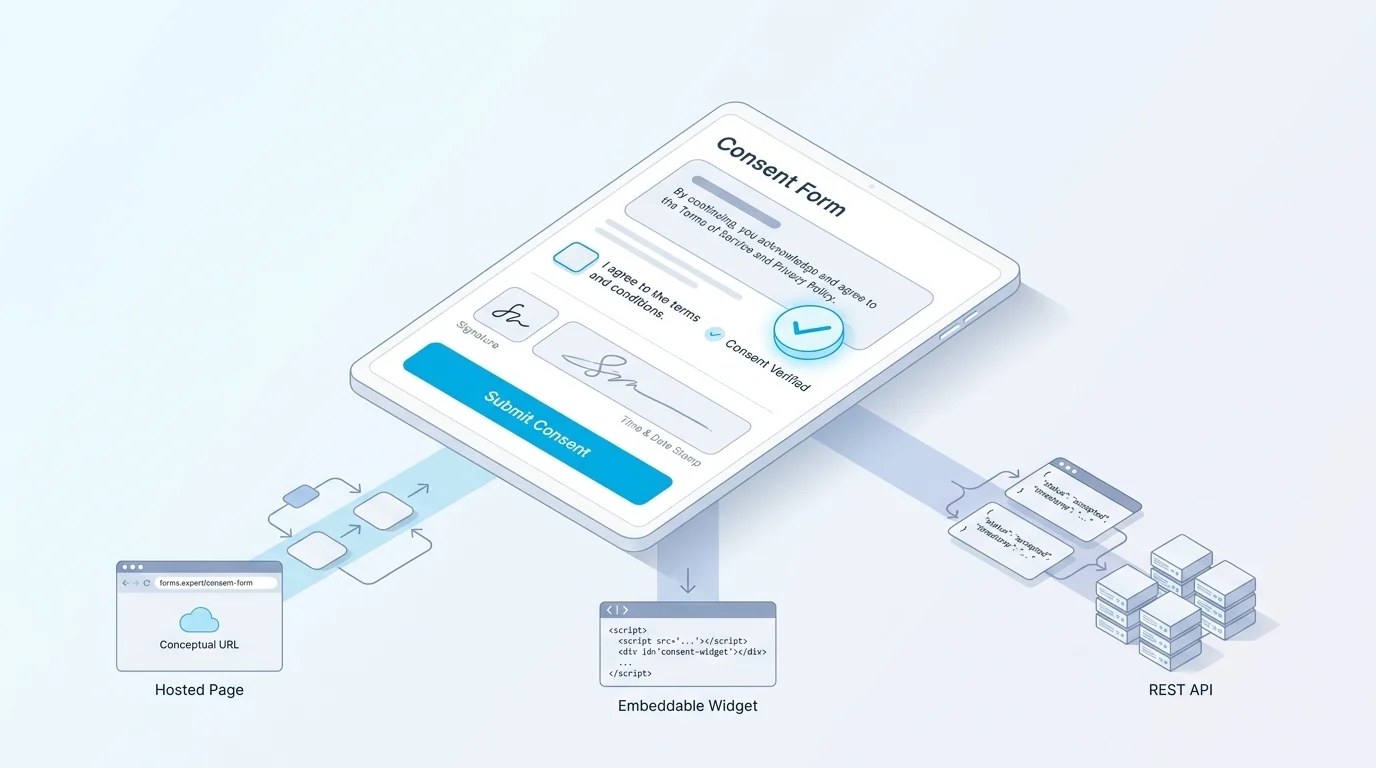
2. Add a required consent action. Add a checkbox or an explicit agree control that the person must actively select, with wording like "I have read and agree to the above." Make it required so the form can't be submitted without it, and never pre-tick it, since pre-checked consent isn't valid consent.
3. Capture identity, date, and signature. Collect the person's name, the date (ideally captured automatically on submit), and a signature, either a typed name or a drawn signature field, so the record ties the agreement to a person and a moment.
4. Decide where the records go. Consent is only useful if you can find it later, so set where each completed form is stored and routed: the dashboard, your email, or your own system. The next section covers keeping a clean digital record.
5. Publish it. Ship the consent form as a hosted page, an embedded step inside a larger form, or via the API. In Forms Expert you can build and collect this on any plan, including Free, and a consent step can sit inside a registration, intake, or booking form rather than living as a separate page.
A sixth detail worth handling is how someone withdraws consent. Since valid consent should be as easy to take back as it was to give, note on the form how a person can withdraw later, an email, a link, a setting, rather than treating consent as permanent once given. Building the exit alongside the entrance is part of doing consent properly.
How to Create a Digital, Fillable Consent Form
Paper consent forms get lost, smudged, and stuffed in a drawer. A digital, fillable consent form solves the part that actually matters: keeping a clean, findable record of who agreed to what, and when.
The mechanics are simple. The person reads the consent statement, ticks the required agreement, types or draws a signature, and submits. On submission, the response is stored as a record with a timestamp, so you have a dated entry rather than a vague memory of a verbal yes. That timestamp is quietly the most valuable part: when a question comes up months later about whether someone consented, a dated record answers it.
A few practical touches make a digital consent form better than its paper ancestor. Required fields mean an incomplete consent can't be submitted by accident. A copy of the agreement can be emailed to the person so they keep their own record, which is both courteous and good practice. And because it's a form, you can embed the consent step exactly where it belongs, at intake, at registration, before a session, rather than asking people to print, sign, and scan. One honest note on attachments: if your consent form accepts file uploads, those files are stored but not virus-scanned, so handle public uploads with normal caution.
Two more habits make a digital consent form trustworthy over time. Keep the wording versioned, so if you change what people are consenting to, you can tell who agreed to which version, since an old consent doesn't automatically cover a new use. And make the form accessible, with proper labels and readable contrast, so the consent statement is genuinely legible to everyone. Consent that some people can't actually read isn't informed consent. It's also worth deciding how long you keep consent records and saying so on the form, since holding them indefinitely isn't always appropriate. A short retention note, backed by a real practice, is part of treating people's agreement with the seriousness it deserves.
Consent Forms and GDPR
If your consent form is about personal data, GDPR-style rules shape what "good" looks like: consent must be specific, informed, freely given, and as easy to withdraw as it was to give. In practice that means separate opt-ins instead of one bundled checkbox, plain-language descriptions, and a record of exactly what each person agreed to.
Forms Expert includes a built-in consent module to support this: configurable consent modals, consent categories so people can agree to some uses and not others, a record of each visitor's choices, and support for Google Consent Mode. Those are the building blocks for a compliant consent step, and the shipped built-in GDPR cookie consent covers how the cookie side works in practice. For the broader picture of building privacy-respecting forms, our guide to GDPR-compliant forms goes deeper.
Here's the honest boundary, and it matters. Having the tools to build a GDPR-compliant consent step is a capability; it is not the same as a certification. Forms Expert is not SOC 2, HIPAA, or ISO certified, and providing the building blocks doesn't make your specific use compliant on its own, that depends on how you configure it and the advice of your own counsel. Distinguishing "you can build a compliant consent flow" from "we are certified" is exactly the kind of precision a consent topic deserves.
On the practical side, granularity is your friend. Instead of one checkbox covering emails, analytics, and partners at once, give each its own opt-in, so someone can agree to a newsletter without agreeing to ad tracking. It's more honest, it's what regulators expect, and it tends to build more trust than an all-or-nothing wall.
What a Consent Form Can and Can't Do
It's worth being clear-eyed about what a consent form is. It documents that someone agreed to something specific, on a date, in a way you can produce later. That's genuinely valuable, and for many everyday uses, a media release, a data opt-in, an event waiver, a well-structured consent form is exactly what you need.
What a consent form is not is a substitute for legal advice. Whether a given form is legally binding, and what it needs to be, depends on your jurisdiction, the context, and who's involved, and that's a question for a qualified lawyer, not a form builder. For anything carrying real legal or medical weight, formal research with an ethics board, anything involving minors, regulated medical treatment, get professional counsel and, where required, formal review. The US FDA's informed consent guidance is a reminder of how much rigor regulated consent actually demands.
Forms Expert helps you build and store a clear consent record; it is a form tool, not a law firm, and it is not HIPAA or BAA covered. Use it to structure and capture consent cleanly, and pair it with proper legal review when the stakes call for it. Treating the form as the documentation layer, and counsel as the compliance layer, keeps you on solid ground.
Minors are the clearest case for extra care. Consent involving children usually requires a parent or guardian's agreement and often additional protections, and the rules vary by place and context. If your form touches anyone under the age of consent in your jurisdiction, that's a bright line to involve counsel before you launch, not after.
Build a Consent Step Into Any Form
The practical move is usually not a standalone consent page but a consent step inside a form people are already filling out. In Forms Expert you can add a required consent statement, a signature, and a timestamped record to any form, on every plan including Free, so consent gets captured at exactly the right moment.
A natural place this shows up is intake. The patient intake form template includes a consent step as part of the flow, and you can adapt that pattern, a clear statement plus a required agreement plus a signature, into a registration, booking, or onboarding form of your own. For the broader onboarding context, our client intake form guide covers where consent fits into a first-contact form. Submission volume depends on your plan tier, with no "unlimited" framing, just clear per-tier limits.
The recap is short, with one firm caveat. To create a consent form: write a plain, specific statement, require an explicit agreement, capture name, date, and signature, and store the record. Keep it informed and specific, and get legal counsel for anything regulated. Start from the home page or the intake template and capture your first clean consent record today.
And revisit the wording as things change. A consent statement written for last year's data practices may not cover this year's, so treat the form as something you keep current, not a document you write once and forget. The goal is a record that still means what it says whenever you need to rely on it.
Frequently Asked Questions
Yes. For many everyday situations, a media release, a data opt-in, an event waiver, you can write and use your own consent form, as long as it's clear, specific, and includes the core elements: what's being consented to, the purpose and scope, the parties, the date, a signature or explicit agreement, and the right to withdraw. The important caveat is context. For anything with real legal or medical weight, such as formal research, treatment, or anything involving minors, you should have a qualified lawyer review the form and follow any required formal process, because a do-it-yourself form isn't a substitute for legal advice.