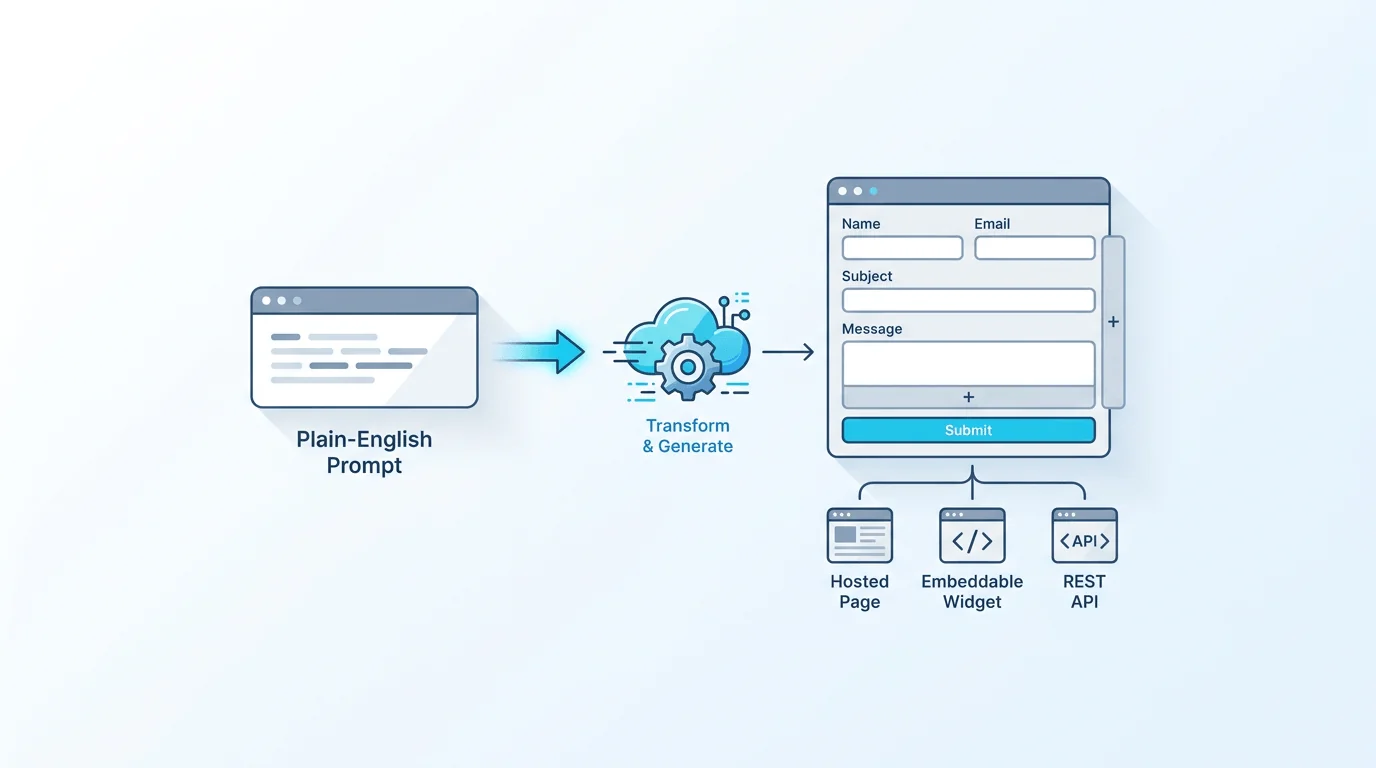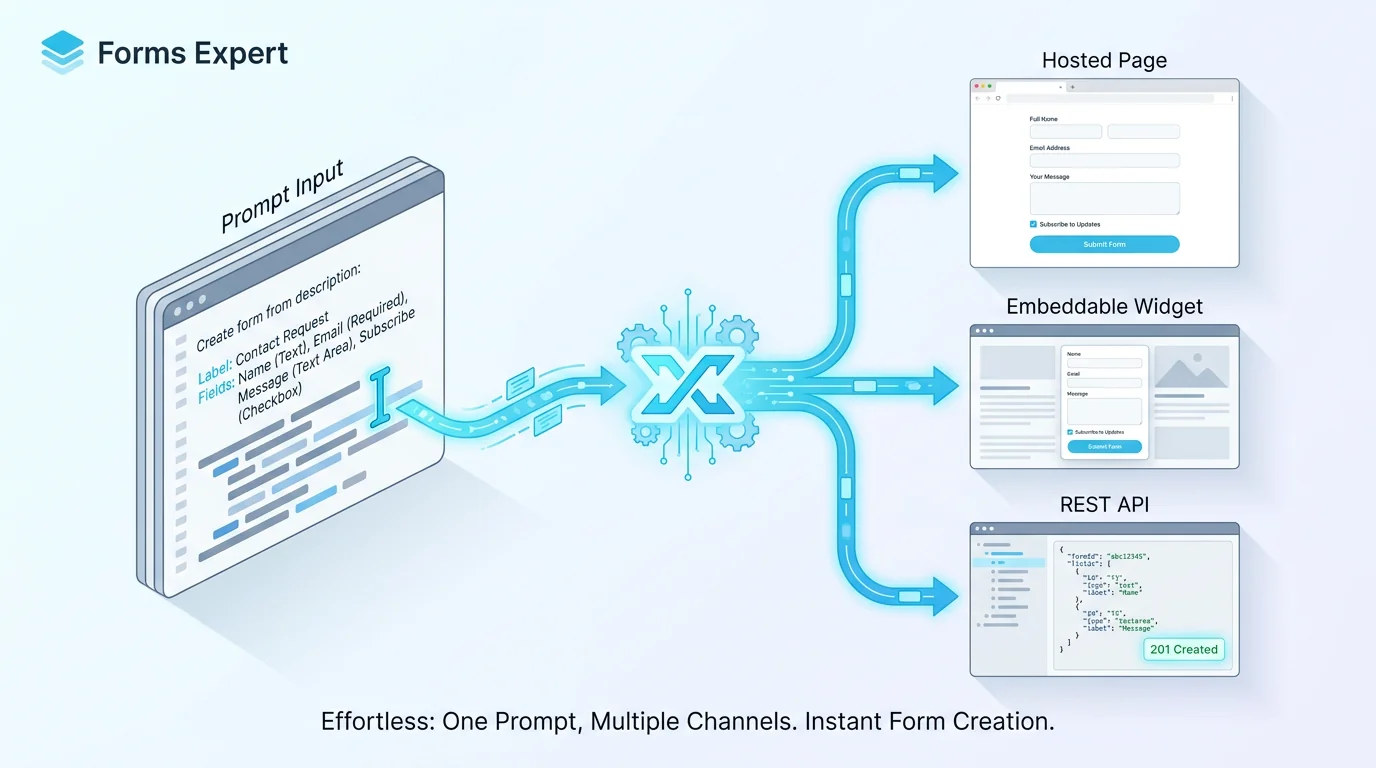
An AI form builder turns a sentence into a form. Instead of dragging fields one by one, you describe what you need, "a job application with contact details, work history, and a resume upload", and the AI produces a complete, editable draft: the right fields, sensible labels, required flags, validation, and often multi-step structure. It's the fastest way from idea to a working first draft. This guide explains what an AI form builder actually is, how prompt-to-form works under the hood, how to write a prompt that gets a good result, how to edit what it produces, and, honestly, what AI generation costs, because good AI generation isn't free.
What Is an AI Form Builder
An AI form builder is a tool that generates a form from a natural-language description. You write a prompt describing the form you want, and a language model interprets it and produces a structured form, fields with appropriate types (text, email, dropdown, date, file upload), labels, required markers, validation rules, and sometimes a multi-step layout, ready to review and edit rather than build from scratch.
The key word is editable. A good AI form builder doesn't hand you a locked black box; it gives you a draft you then refine in the normal builder, the same way you'd edit a document a colleague drafted. The AI does the tedious first 80 percent, laying out the obvious fields in a sensible order, and you do the last 20 percent that needs judgement. That division, AI for the draft, you for the polish, is what makes it genuinely useful rather than a gimmick. The model behind the generation is a large language model (Forms Expert uses Anthropic's Claude); the next section is how it turns your words into structure.
How an AI Form Builder Works, Step by Step
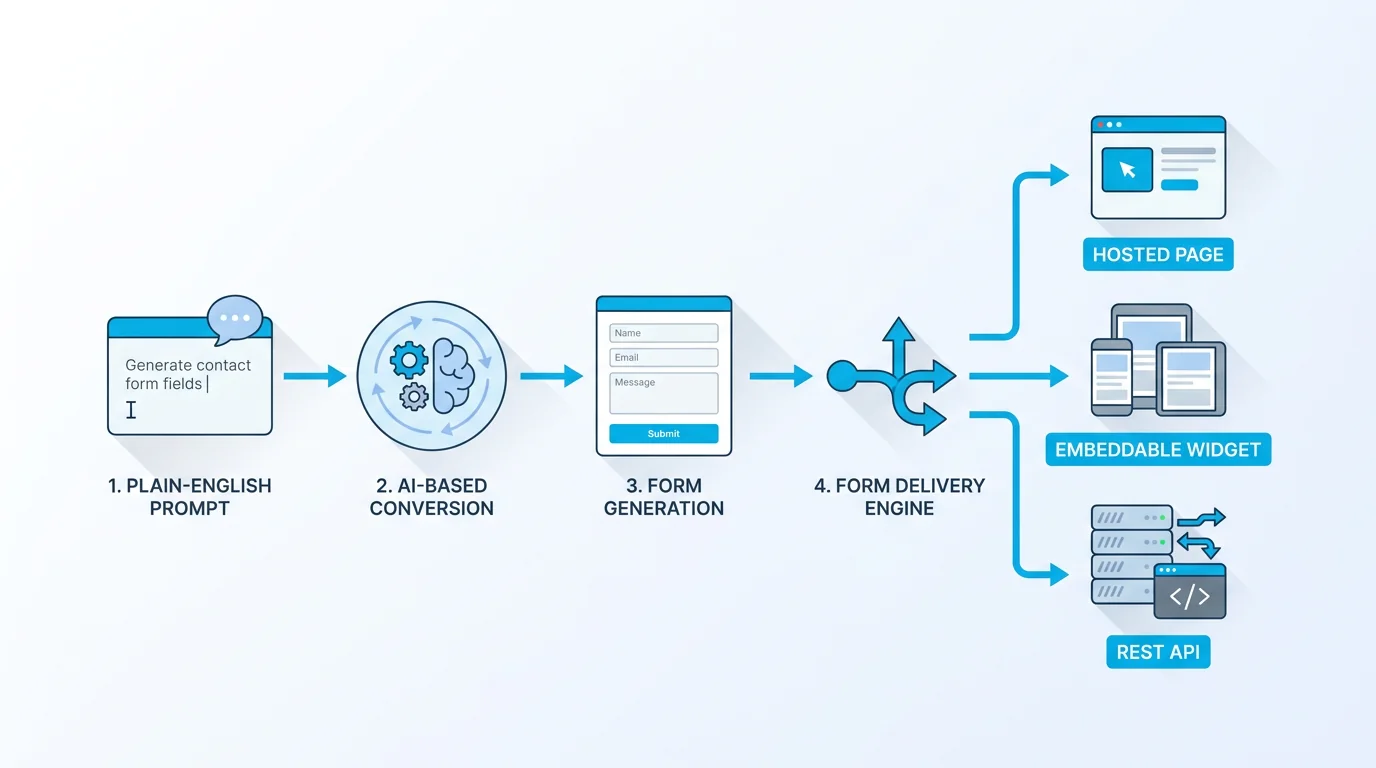
Under the hood, prompt-to-form is a few steps the AI runs in sequence.
1. Understand the prompt. The language model reads your description and works out what the form is for and what information it needs to collect. "Event registration" implies a name, email, ticket type, and maybe dietary needs, even if you didn't list them all. 2. Choose field types. For each piece of information, the AI picks an appropriate input: an email field for an email, a dropdown for a fixed set of choices, a date picker for a date, a file upload for a document. Good field-type selection is most of what separates a usable draft from a wall of text boxes. 3. Group and order. The AI arranges fields into a logical sequence, related ones together, simplest first, and, for longer forms, may split them into steps. 4. Add validation. It marks which fields are required and adds basic validation (an email must look like an email), so the form enforces good input from the start. 5. Produce an editable draft. The result is a real form in the builder, not a static mockup, that you can immediately preview, tweak, and publish.
The whole thing takes seconds, and the output quality depends heavily on the prompt, which is why a later section is devoted to writing a good one. The principle is simple: the AI is doing the same reasoning a person would, just instantly, and you stay in control of the result.
It's worth noting what the AI is not doing: it isn't inventing data or making decisions for you, it's translating your description into the form's structure. The judgement about what to ask, and why, stays with you; the AI just saves you the assembly.
What to Look For in an AI Form Builder
AI form builders vary, and a few things matter more than the marketing.
Editability. The single most important factor: can you freely edit the generated form in a full builder afterwards, or are you stuck with what the AI produced? Generation is a starting point, not a finished product, so editability is non-negotiable. Field-type coverage. Does it support the field types you need, file uploads, dropdowns, date pickers, rating scales, or only basic text inputs? A form is only as good as its fields. Where the output lives. Does the generated form live in a real product where you can then style, embed, and collect responses, or is it a one-off export? You want generation wired into an actual form platform. Plan and quota model. AI generation costs the provider real money (every generation is a language-model call), so understand how it's priced, usually a quota of generations per day or month, and which plan it's on, before you rely on it.
The last point deserves honesty, which the pricing section covers: capable AI generation is generally a paid feature, not an unlimited free one, because each generation has a real cost behind it.
One quality dimension the AI can't guarantee on its own is usability. A generated form can be structurally correct but still ask for too much, or in a confusing order, so judge the draft against good form-design principles, ask only what you need, group fields logically, label them clearly, as set out in Nielsen Norman Group's web form design guidance. The AI gives you a competent draft; making it genuinely easy to fill in is the edit pass you bring.
AI Form Builder vs Drag-and-Drop vs Templates
AI generation is one of three ways to start a form, and each wins in a different situation. They're complements, not rivals, the best workflow often uses more than one.
| Approach | Best for | Trade-off |
|---|---|---|
| AI generation | A fast first draft from a plain-English description | You review and edit the output before shipping |
| Drag-and-drop | Precise, hands-on control over every field | Slower when building a long form from scratch |
| Templates | A proven starting point for a common form type | Limited to what's already in the library |
In practice, AI generation shines when you have a clear idea but don't want to place every field by hand, it gets you to a draft in seconds. Drag-and-drop wins when you need exact control or are making small, deliberate changes. Templates win when your form is a common type someone has already designed well. The natural workflow combines them: generate a draft with AI, then refine it with drag-and-drop, occasionally starting from a template instead when one fits. None of these makes the others obsolete; AI just removes the blank-page problem at the start. What AI adds over the other two is the ability to go from an idea in your head to a structured form without first translating it into fields yourself, which is genuinely faster for a first pass.
Writing a Good Prompt for an AI Form Builder
The quality of an AI-generated form tracks the quality of the prompt. A vague prompt gets a generic form; a specific one gets a draft you barely need to touch. A few habits help.
Be specific about purpose and fields. "A contact form" is thin; "a contact form for a law firm with name, email, phone, case type (dropdown: family, criminal, corporate), and a message" gives the AI what it needs. Name the sections for longer forms. If you want a multi-step form, say so and describe the steps: "step 1 personal details, step 2 employment history, step 3 references." Mention field types when they matter. If a field should be a dropdown, a date, or a file upload, say it, otherwise the AI guesses. Note required fields and constraints. "Email and phone are required; message is optional" saves an editing pass. Add placeholder or helper text if you have it. Telling the AI the helper text you want produces a more finished draft.
Think of the prompt as a brief to a fast assistant: the clearer the brief, the closer the first draft is to done. There's a useful upper bound to keep in mind, prompts are typically capped (in Forms Expert, up to 2,000 characters), which is plenty for a detailed description but a reason to be concise and structured rather than rambling. For a full worked example of prompt-to-form, see our walkthrough on generating a form from a prompt.
After the Draft: Editing an AI-Built Form
The AI gives you a draft; you make it yours. There are two ways to refine it. The first is the normal builder, drag fields around, change types, edit labels, adjust validation, exactly as if you'd built it by hand. The second, where available, is plain-language editing: instead of dragging, you describe the change ("make the phone field optional and add a budget dropdown") and the AI applies it. Forms Expert calls this AI Edit, and it's useful for quick adjustments without hunting through settings.
The edits you'll most often make are the ones that need human judgement the AI can't infer: adding conditional logic and multi-step structure so the form adapts and breaks into manageable steps, tightening validation, refining wording for your brand, and removing fields the AI added that you don't actually need. This is expected, not a failure of the AI; the whole model is AI-for-the-draft, human-for-the-judgement. Budget a few minutes to review every generated form before publishing, the AI is good but not psychic, and a quick edit pass is what turns a fast draft into a form you're happy to ship as a hosted page, embed, or API.
AI Form Builder Pricing, and Why Good AI Generation Isn't Free
Here's the honest part. Every AI generation and AI edit is a call to a language model, which costs the provider real money, so capable AI form generation is generally a paid feature with a usage quota, not an unlimited free perk. Tools that advertise "free AI" usually mean a tight trial limit, a weaker model, or AI on top of a paid plan, worth reading the fine print.
In Forms Expert specifically, AI generation and AI editing are paid-plan features, they are not available on the Free plan, which is a fully functional manual builder but with no AI. On paid plans, AI is usage-limited (not billed per credit, there's no money balance to top up), with these quotas:
| Plan | AI generations / edits per day | Per month |
|---|---|---|
| Free | 0 | — (manual builder only) |
| Starter (from $9/mo) | 3 | 30 |
| Pro | 10 | 200 |
| Business | 30 | Unlimited |
So the honest answer to "is there a free AI form builder?" for Forms Expert is: the builder is free, but the AI generation and editing are a paid feature, bundled into plans from $9 a month rather than sold as separate credits. If you specifically want free AI generation with no paid plan, Forms Expert isn't that, you'd build manually on Free, or use the AI on a paid tier. We'd rather state that plainly than let "AI" imply "free." The upside of the quota model is predictability: you're not watching a credit balance drain mid-task, you have a clear daily and monthly allowance for the plan you're on.
Build a Form With AI in Forms Expert
If you want to try prompt-to-form in Forms Expert: on a paid plan, you describe the form you want (up to 2,000 characters), and the AI, powered by Anthropic's Claude, generates a complete editable draft, fields, labels, required flags, validation, and optional multi-step, in seconds. You then refine it in the builder or with plain-language AI Edit, add logic and steps, and publish. The generated form is a normal Forms Expert form, so it ships the same three ways as any other: a hosted page, an auto-resizing embed, and a REST API.
The honest framing once more: AI generation and editing are on the paid plans (from $9 a month), not the Free tier, and they're usage-limited per the quotas above. If that fits, it's the quickest way to a first draft you've got; if you'd rather not pay for AI, the manual builder on Free does everything except the generation. Either way, you own and edit the result, the AI just gets you off the blank page faster. See the AI form builder page for the feature in detail, or start from the home page.
And if you're new to prompting a form, the prompt-to-form walkthrough shows a real example end to end, from a one-paragraph description to a published form.
Frequently Asked Questions
An AI form builder is a tool that generates a form from a natural-language description. You write a prompt describing the form you want, and a language model produces a structured, editable draft, fields with appropriate types, sensible labels, required markers, validation, and sometimes a multi-step layout, rather than making you place every field by hand. The important quality is that the output is editable: a good AI form builder gives you a draft to refine in a normal builder, not a locked result. The AI handles the tedious first pass of laying out the obvious fields, and you apply the judgement, wording, logic, and final tweaks. It's the fastest way from an idea to a working first draft.