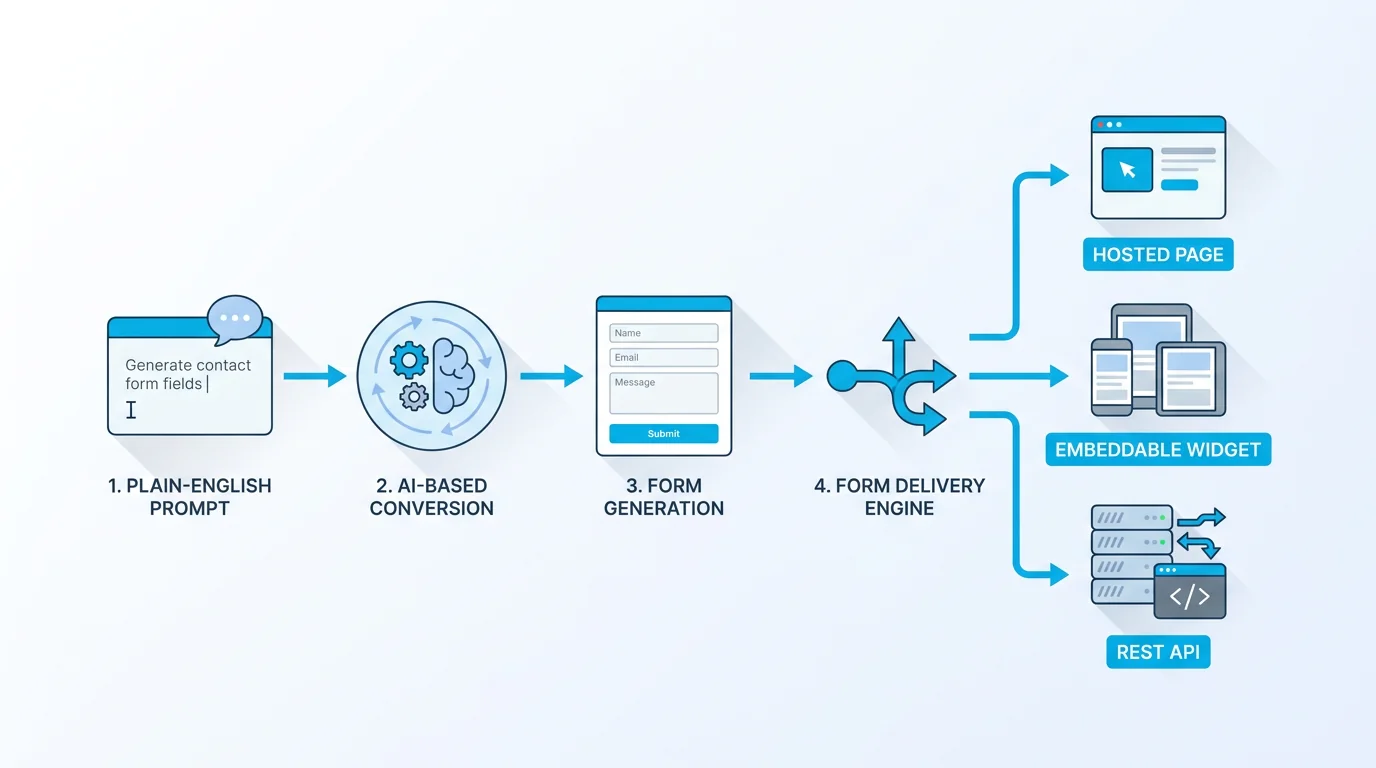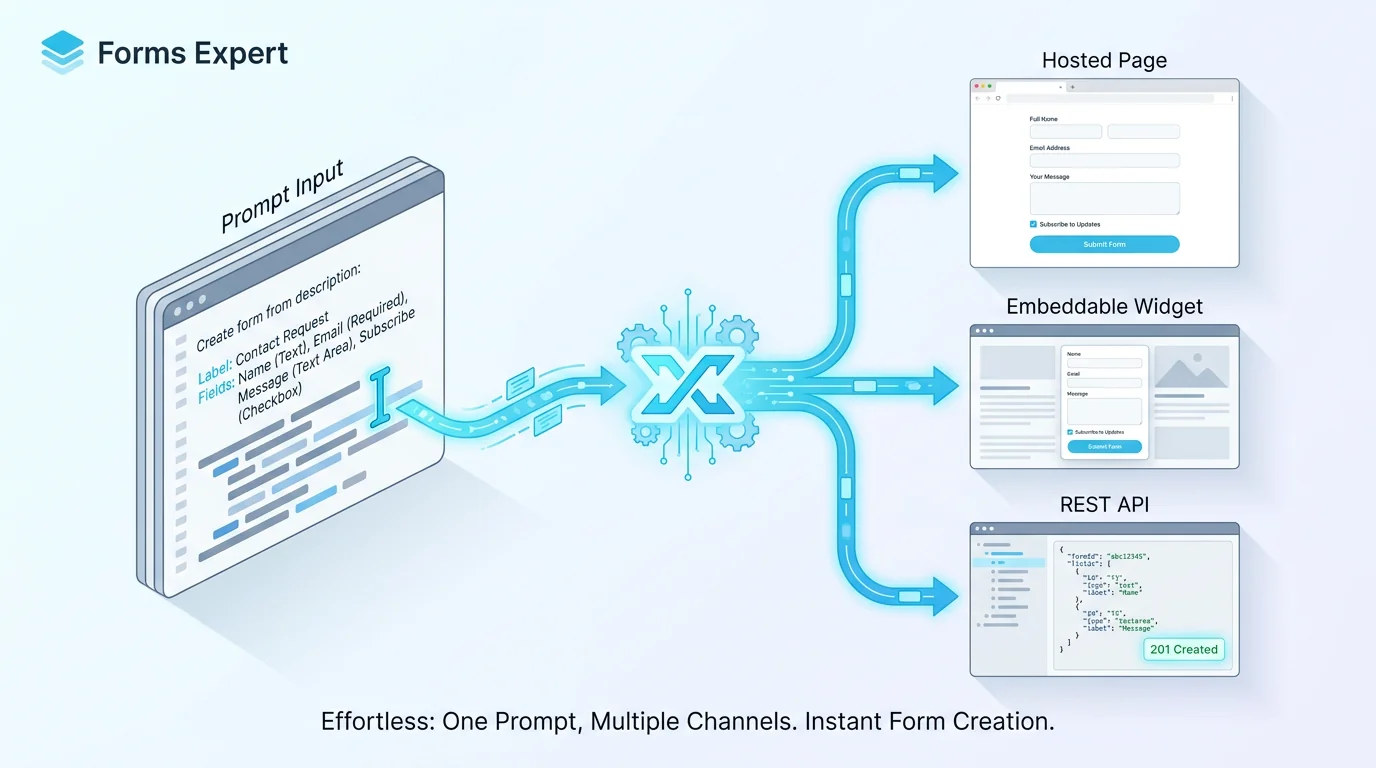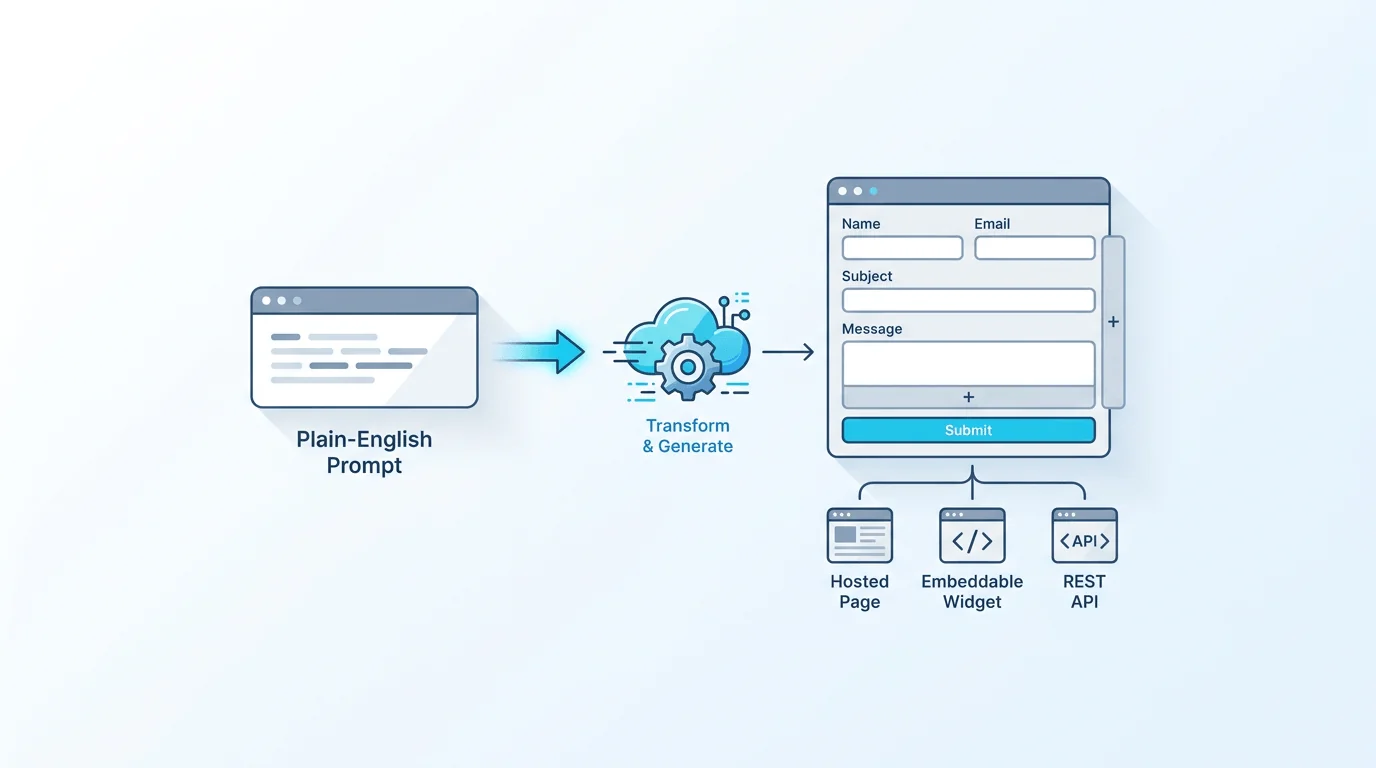
Building a form from scratch is mostly mechanical work: add a field, pick a type, write a label, set validation, repeat. AI form generation skips the repetition. You describe what you need in plain English, and Forms Expert returns an editable draft you can ship as-is or rework. The generation runs on Anthropic's Claude, and it is a paid feature, bundled from the $9 Starter tier and off on the Free plan. What create form from prompt actually produces, how AI Edit reworks an existing form, and where you (not the model) make the final call are the substance of the rest.
From a Sentence to a Draft
The workflow starts with a description. Something as short as "a job application form with name, email, resume upload, and a few screening questions" is enough to get a structured draft back. The AI form generator reads your intent and assembles a form from the 35 field types Forms Expert supports — short text, email, file upload, multiple choice, rating, and the rest — rather than dumping everything into plain text boxes.
The result is not a screenshot or a PDF. It is a real, editable form definition loaded into the builder. Every field it created is a normal field you can rename, reorder, retype, or delete, exactly as if you had added it by hand. The prompt is a starting point, not a contract.
What the Draft Includes
A generated draft is more than a flat list of inputs. Because the model works against the same schema the manual builder uses, it can produce the structural pieces that make a form usable:
- Appropriate field types — an email field for an email, a file upload for a resume, a rating scale for satisfaction, instead of generic text everywhere.
- Sensible labels and order — fields grouped and sequenced the way a person filling out the form would expect.
- Multi-step layout where the description implies distinct stages, so a long form does not arrive as one intimidating wall.
What the draft does not do is silently turn on integrations, notifications, or access rules. Generation builds the form's structure. Delivery destinations, conditional logic refinements, and access control stay yours to configure deliberately.
AI Edit: Changing a Form by Instruction
Generation is the first half. AI Edit is the part you reach for far more often. Instead of clicking through the builder to make a change, you describe the change and Claude applies it to the current form.
Instructions read the way you would say them to a colleague: "add a phone number field after email," "make the company field required," "split this into two steps," or "rewrite the question labels to be friendlier." AI Edit operates on the form you already have — it edits in place rather than regenerating from zero — so the structure you have already tuned is preserved and only the requested change is made. It turns the tedious parts of iteration into a sentence.
Where the Human Stays in Control
AI is an accelerator here, not an autopilot. A few boundaries are deliberate:
- You publish, not the model. A generated or AI-edited form sits as an editable draft until you decide it is ready.
- The model never produces a locked or opaque field. Anything it adds, you can rename, adjust, or remove by hand.
- Delivery and access stay manual. Where submissions go (email, Telegram, or signed webhooks) and who can reach the form (public, domain, invitation, or password) are choices you make, not defaults the AI assumes.
The model is fast at the parts that are repetitive and easy to get slightly wrong. You stay responsible for the parts that carry consequences: what is required, what is collected, and where the data lands.
Powered by Anthropic's Claude
Both features run on Anthropic's Claude. That choice matters for a builder: turning a loose description into a valid, well-structured form is exactly the kind of instruction-following and structured-output task Claude handles well, which is why the drafts come back as usable field schemas rather than rough text that still needs translating into a form.
It also means generation depends on a paid third-party service, which is why the feature is gated rather than free. There is no offline mode for AI generation — when you use generate form with AI or AI Edit, the request is processed by Claude and a draft comes back into your builder.
What It Costs and Where It Is Available
AI form generation and AI Edit are paid features, bundled from the $9 Starter tier and off on the Free plan. There is no separate add-on to buy and no "free AI" tier — on any paid plan, generation and AI Edit are simply available.
If you are on Free and want to try them, the move is to start a plan: paid plans include a 14-day trial, so you can generate and edit forms with Claude before committing. Pricing is flat: Free $0, Starter $9, Pro $29, Business $99 per month, with yearly billing charged as ten months. The full breakdown lives on the pricing page.
| Capability | Free | Starter ($9) and up |
|---|---|---|
| Generate a form from a prompt | Off | Included |
| AI Edit by instruction | Off | Included |
| Edit every field by hand | Yes | Yes |
| You review and publish | Yes | Yes |
Writing a Prompt That Works
The quality of the draft tracks the clarity of the description. A vague prompt produces a generic form; a specific one produces something close to final. Useful detail to include:
- The form's purpose — "event registration," "customer feedback," "bug report."
- The fields that matter — name them explicitly when you know them, especially uploads, ratings, or anything with options.
- Structure — say if it should be multi-step, or if certain questions only apply to some respondents.
Then treat AI Edit as the second pass. Generate a rough draft from a one-line description, look at what came back, and refine with instructions like "make email required" or "add a consent checkbox." The loop of create form from prompt then edit form with AI is usually faster than getting a perfect form from a single prompt. For more on how a single definition then ships as a page, a widget, and an API, see the home page.
Frequently Asked Questions
Describe the form you want in plain English — for example, "a customer feedback form with a rating, a comment box, and an email field" — and Forms Expert generates an editable draft using Anthropic's Claude. The draft arrives in the builder as a real form definition, not a static mockup, assembled from the platform's 35 field types with appropriate field types, labels, ordering, and multi-step layout where the description calls for it. Every field is fully editable by hand, so you can rename, reorder, retype, or delete anything the model produced. Nothing is published until you review the draft and publish it yourself.